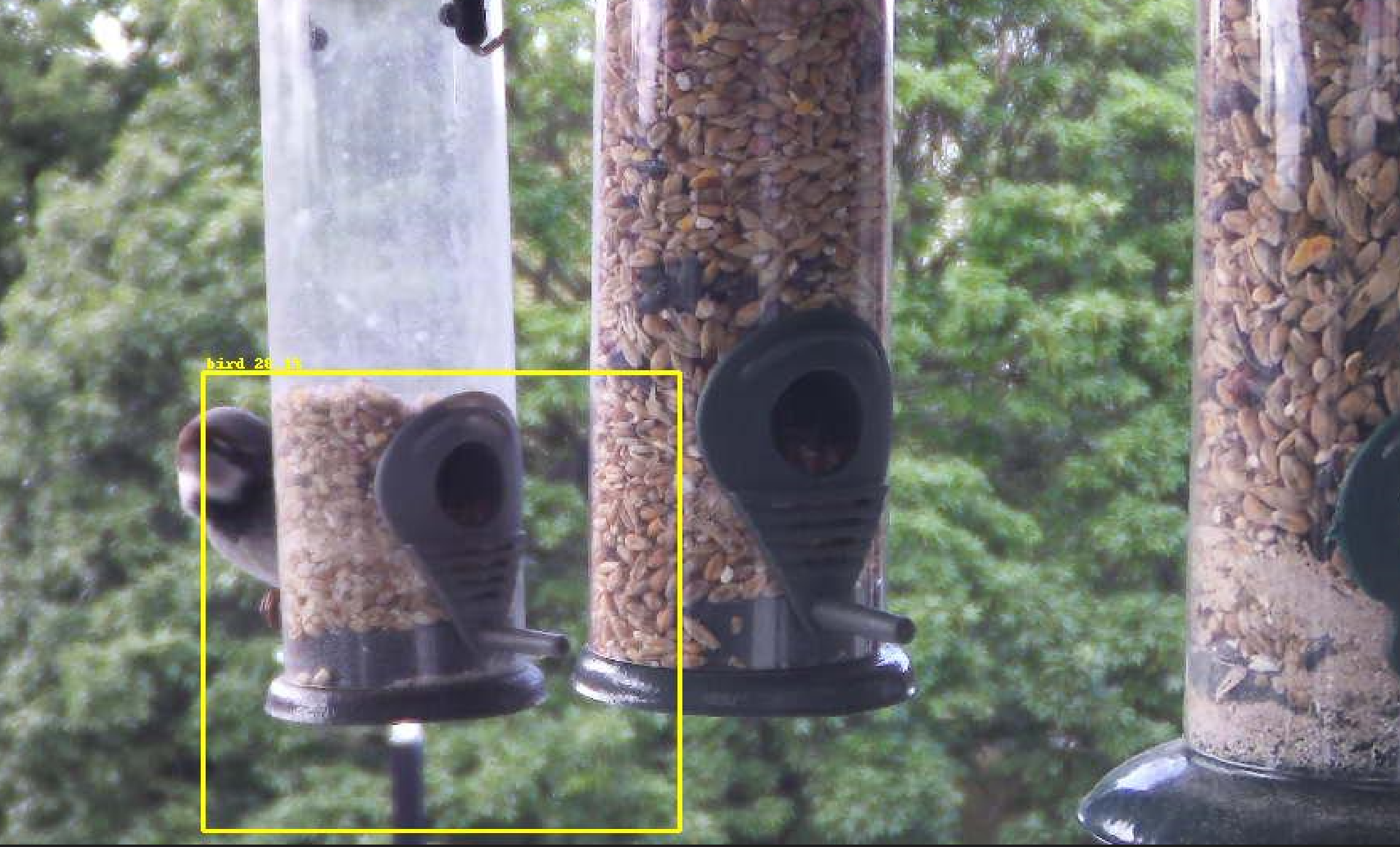
The problem: Motion detection on camera streams results in a lot of false positives, especially in environments where motion is expected from certain objects such as trees, or in this case birdfeeders
The solution: Implement Object Detection
Solution plan: MJPEG stream > LAN > doods2 node > shinobi/AgentDVR/HA
DOODS 2 uses object detection via tensorflow
DOODS 2 allows to use tensorflow instance on another machine on your LAN
You’ll need to install docker desktop if you don’t have it already.

WSL needs to be enabled for docker, so double check you have done this and run the update command just to be safe
wsl --updateGetting the doods container running is as simple as any:
docker run -it -p 8080:8080 snowzach/doods2:latest
I decided to run this container on my primary server where HomeAssistant is hosted as it has an NVidia GPU to enable TensorFlow.

Configuring the detection regions and using the detector is very self explanatory via the web front end.
Adding the HA integration via configuration.yaml is also simple, you can see my config below
image_processing:
  - platform: doods
    url: "http://192.168.99.99:8080"
    detector: default
    source:
      - entity_id: camera.birdcam
    labels:
     - name: bird
       confidence: 20
    file_out:
     - "/config/www/birdcam/{{ camera_entity.split('.')[1] }}_latest.jpg"
     - "/config/www/birdcam/{{ camera_entity.split('.')[1] }}_{{ now().strftime('%Y%m%d_%H%M%S') }}.jpg"
That’s the basic implementation. I’m going to experiment with various methods of utilizing this; shinobi/AgentDVR/HA
Currently I’m leaning towards a HA solution as I don’t like the resource strain that both Shinobi and AgentDVR put on my servers.
